
WordPress 500 error on posts, events and pages is something you may encounter as a WordPress developer or designer. The steps below may help you to resolve any 500 error related issues.
Step 1: Increase Memory
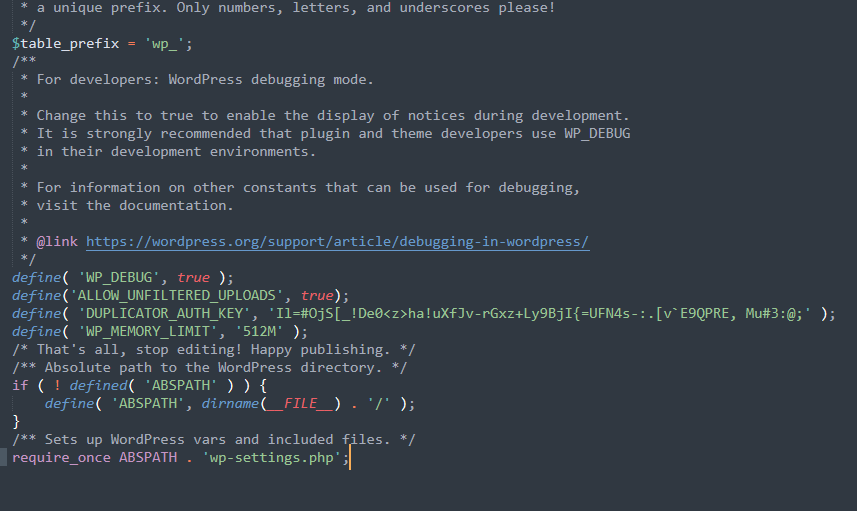
500 error on posts maybe a result of limited memory. Increasing the memory in wp-config.php file may help to resolve the issue. Adding the following line define( ‘WP_MEMORY_LIMIT’, ‘512M’ ); before this comment /* That’s all, stop editing! Happy publishing. */ in the above mentioned php file will do the job.
Step 2: Deactivating and reactivating plugins
WordPress 500 error maybe caused by a plugin conflict. Deactivate all your plugins and test if your site is back. Reactivate your plugins one by one and test after activating each plugin. You may find out that there is a conflict between plugins.
Step 3: Set the debug mode to true
To get the actual errors behind WordPress 500 error on posts, set the define(‘WP-Debug’, true) as shown above. This displays the errors in your browser and it shows the source of the problem. This helps in resolving this isssue.